
Favorites & Tagging
DataReporter users write a lot of queries and dashboards! Favorites and Tagging are here to make finding them easy as your collection of queries and dashboards grows from a few hundred to a few thousand.
Favorites
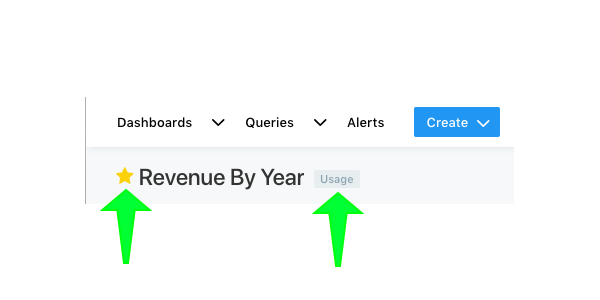
You can favorite a dashboard or query by clicking the star to the left of its title anywhere in DataReporter. The star will turn yellow to indicate success. Your favorites are displayed at several places in DataReporter. They appear on the homepage, in the navbar dropdown menus and as filters in the query or dashboard list views.
Tagging
You can tag queries and queries by subject matter, location, user or any parameter that is meaningful to your organization. Tags are added from the query editor or the dashboard editor. Hover your mouse on the query or dashboard title and an +Add Tag button will appear. In the modal that appears you can select as many tags as you need. The modal will suggest previously-used tags as you type. Hit Save when you’re finished or Esc to abort tagging.
Info: It’s important to have predictable taxonomy for your tags. Consistency in this area makes using DataReporter an even nicer experience and helps bring new users onboard. So we recommend that your team have an internal discussion about the tag hierarchy that will be most benefecial to your organization.
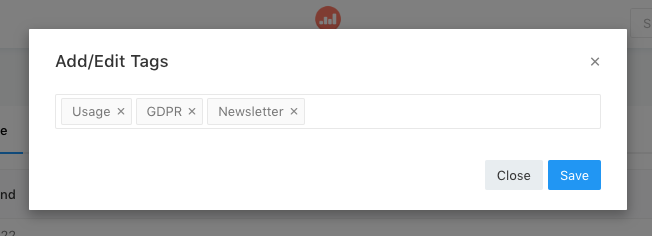
Your tags will appear on the Dashboard and Query list views on the righthand side. Click any tag to filter the list view instantly. Click a second time to remove the filter. Shift + Click to select multiple filters.