
Turnilo - Interactive Data Exploration
Turnilo - Interactive Data Exploration
Turnilo is an open-source data exploration tool that lets you slice, filter, and visualize data through a drag-and-drop interface — no SQL required. It turns raw datasets into interactive explorations in seconds.
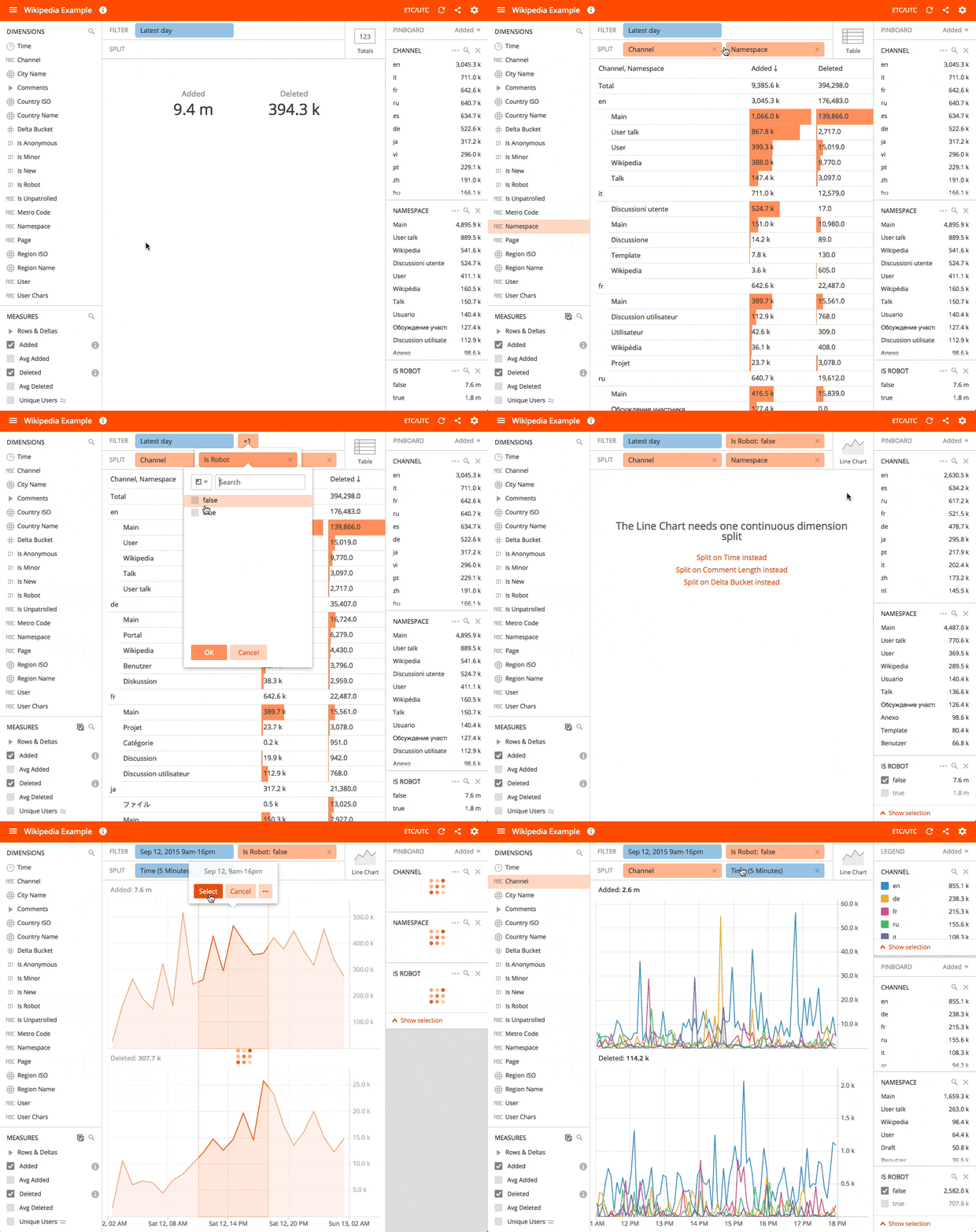
DataReporter embeds Turnilo to provide interactive exploration directly within your dashboards. Unlike standard visualizations which are query-result-driven, Turnilo lets users pivot, drill down, and explore data in real time without writing queries.
Key Features
- Drag-and-drop interface — Explore dimensions and measures without SQL
- Multiple visualization types — Bar charts, line charts, tables, totals, and heat maps
- Real-time filtering — Click to filter, split, and drill down into data
- Dashboard embedding — Turnilo widgets integrate natively into DataReporter dashboards
- Multi-backend support — Works with PostgreSQL, MySQL, BigQuery, Athena, Druid, and JSON data sources
- Hash-based state — Every exploration state is encoded in a URL hash for easy sharing and bookmarking
- Parameter mapping — Dashboard-level filters (e.g., date ranges) pass through to Turnilo widgets automatically
Visualization Types
Turnilo provides the following built-in visualization types:
Bar Chart
Displays categorical data as horizontal or vertical bars. Supports grouping, stacking, and sorting by any measure.
Line Chart
Time-series visualization with support for multiple measures, comparison periods, and trend analysis.
Table
Tabular display of dimension/measure combinations with sorting and pagination.
Totals
Single-number summary showing aggregated measure values with optional comparison to previous periods.
Heat Map
Two-dimensional visualization using color intensity to represent measure values across dimension intersections.
Supported Data Sources
Turnilo in DataReporter connects through the Plywood backend and supports:
| Data Source | Type | Notes |
|---|---|---|
| PostgreSQL | SQL | Full query support |
| MySQL | SQL | Full query support |
| Google BigQuery | Cloud SQL | Requires service account |
| AWS Athena | Cloud SQL | S3-based queries |
| Apache Druid | Native | Full introspection support |
| JSON | Custom | Static or API-driven data |
How It Works
- Plywood Backend — A dedicated service (port 3000) handles query translation and execution against your data sources
- Configuration Endpoint —
/config-turniloprovides data cube definitions, dimensions, and measures to the frontend - Dashboard Widgets — Turnilo visualizations embed in DataReporter dashboards as widgets with the
[turnilo-widget]marker - State Management — Each widget’s state (filters, splits, measures) is encoded as a hash in the widget configuration
Getting Started
To use Turnilo in DataReporter:
- Ensure the Plywood service is running (included in the standard Docker deployment)
- Navigate to any dashboard
- Add a new Turnilo widget
- Select your data cube, dimensions, and measures
- Explore your data interactively
For datacube configuration (dimensions, measures, and Plywood expressions), see Datacube Configuration.